GPT Image 2.5 Flare Text to image API

openai / GPT Image 2.5 Flare

Use GPT Image 2.5 Flare for prompt-based creation or reference-guided image editing.

Gallery images illustrate prompt ideas. Generate your own result to evaluate this model.

Pricing

Resolution pricing

1K image
$0.03
2K image
$0.05
4K image
$0.08
Input

Prompt, assets, and output parameters form one generation request.

Describe the subject, composition, lighting, and style. For edits, explain what to keep and what to change. Maximum 20,000 characters.
Aspect ratioChoose the output frame for generation or editing.
ResolutionChoose the output image resolution tier.

Playground Examples

Try production-style prompt starters.

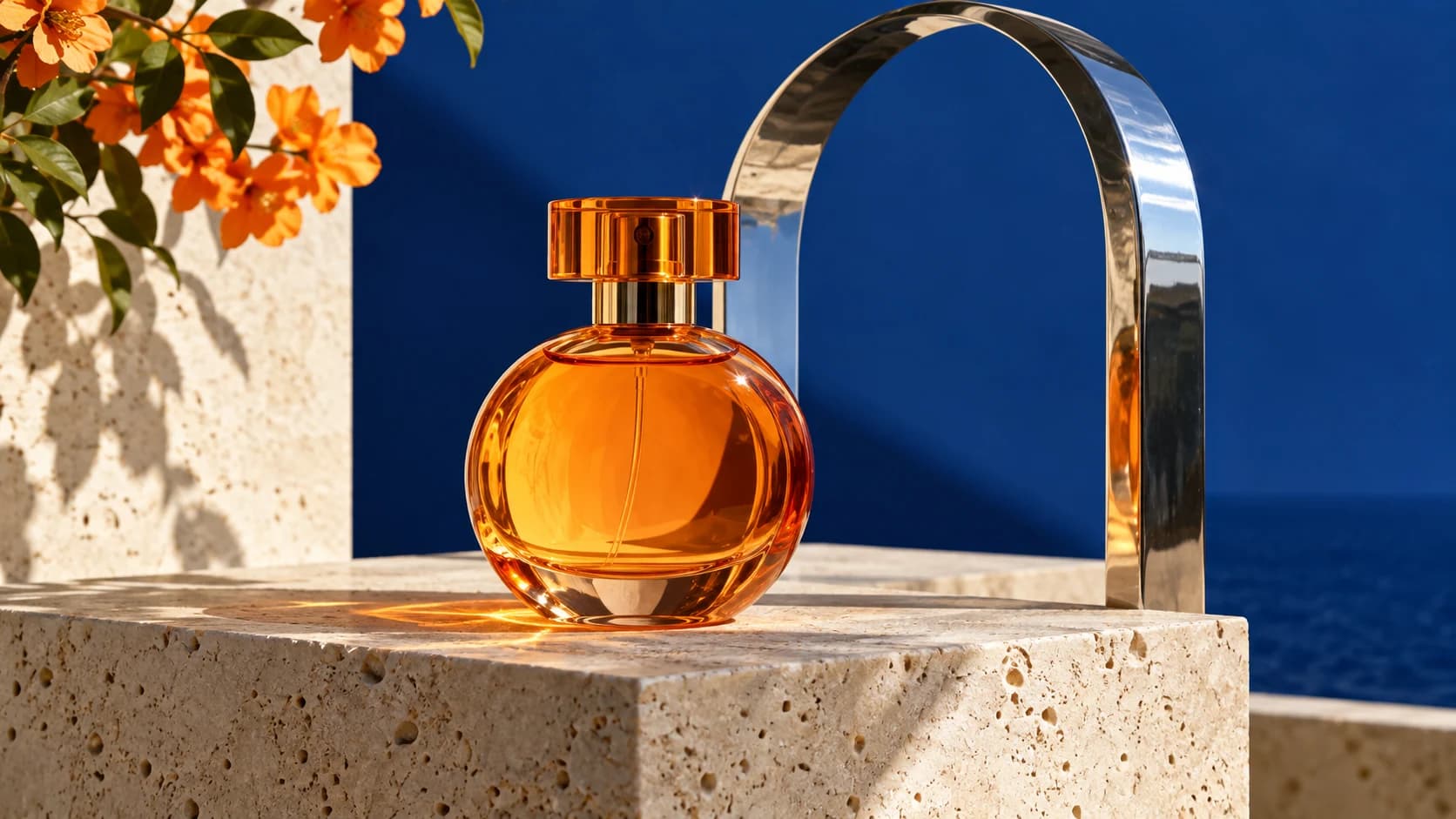
Product photography prompt illustration

A premium editorial product photograph of a translucent orange glass perfume bottle, unbranded, on a pale travertine plinth with a single polished chrome arch, deep cobalt backdrop, crisp morning sunlight and realistic caustics, sophisticated orange and blue palette, tactile materials. Landscape 16:9 composition. No text, logos or watermark.
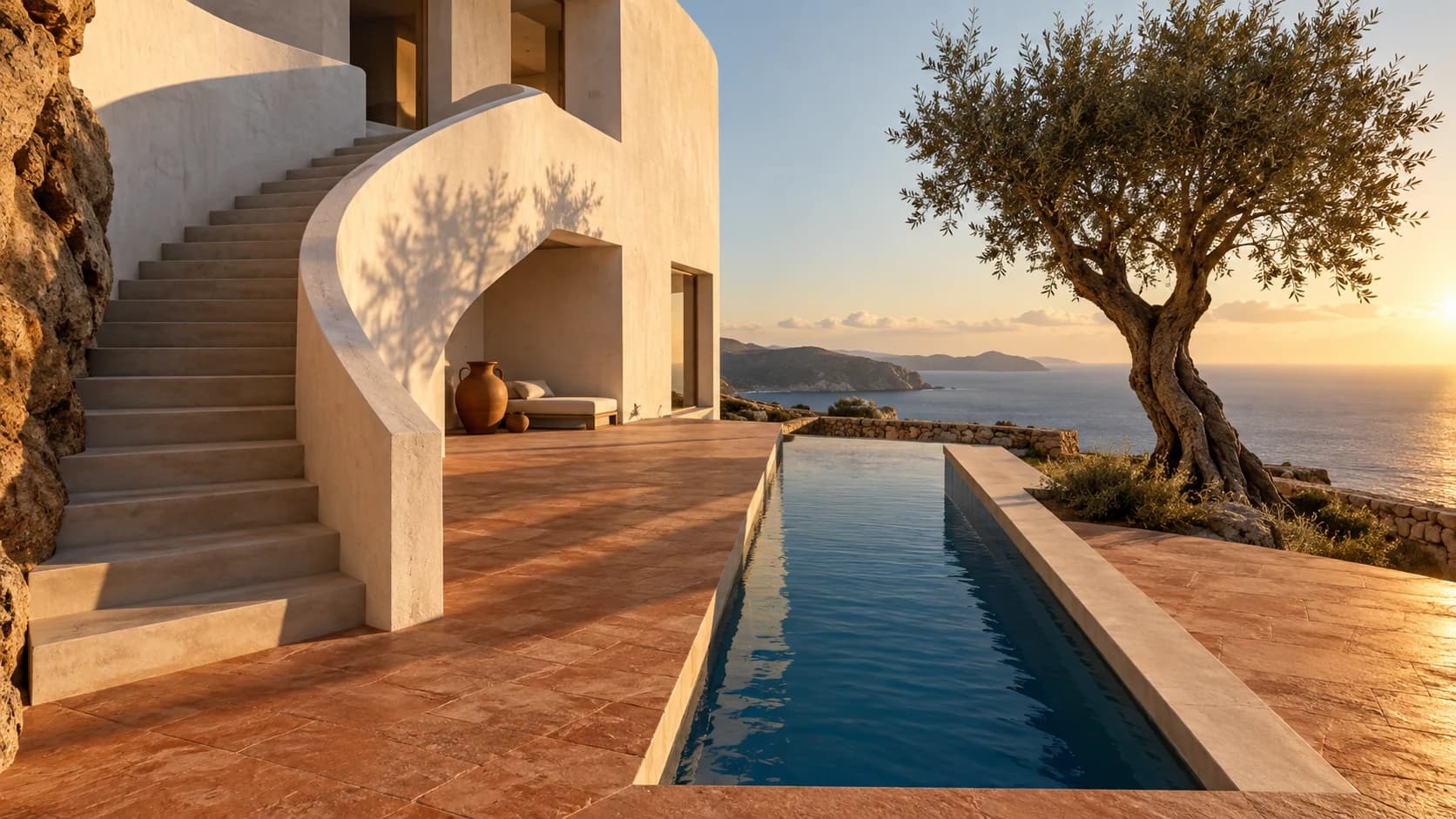
Architectural composition prompt illustration

A cinematic architectural photograph of a sculptural white concrete coastal house with a curved staircase, a narrow cobalt pool, terracotta ground, distant sea and one olive tree, late afternoon raking light, editorial composition with strong geometry and realistic textures. Landscape 16:9. No people, no text, logos or watermark.

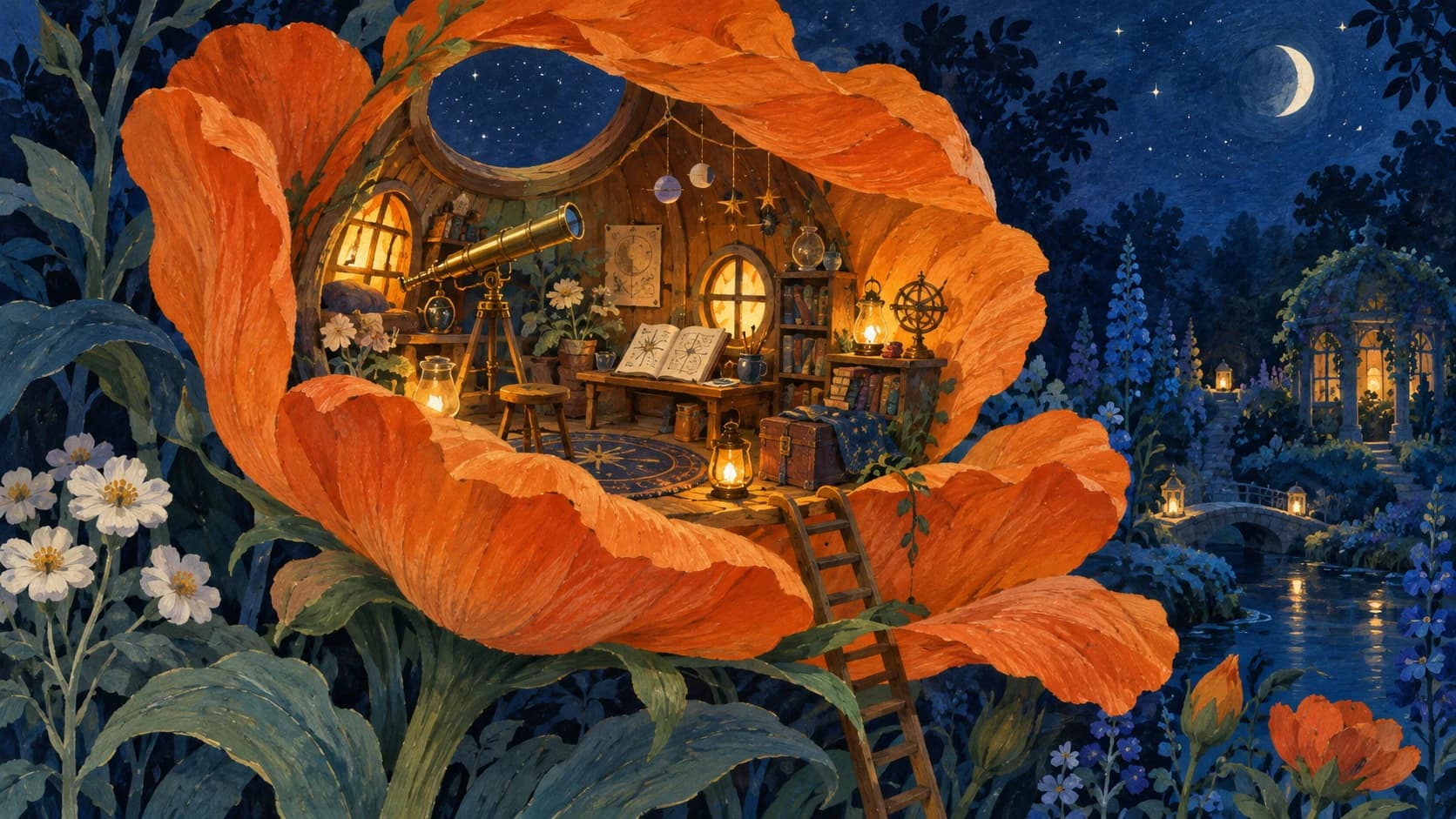
Storybook art prompt illustration

An intricate hand-painted gouache illustration of a tiny observatory workshop inside an enormous orange flower in a midnight blue botanical garden, miniature brass telescope, cozy amber windows, highly crafted paper texture, imaginative yet coherent, elegant storybook composition. Landscape 16:9. No text, logos or watermark.

Model overview

GPT Image 2.5 Flare for image generation and reference-guided editing

Create one image from a written brief, or combine your instructions with source images. GPT Image 2.5 Flare offers text-to-image and image-edit workflows on the same page, with 1K, 2K, 4K resolution tiers.

GPT Image 2.5 Flare generation example
01 · Image generation

Develop a complete visual brief

Describe the subject, material, background, lighting, and camera angle. Product concepts, still lifes, and campaign imagery are useful starting points for exploring your visual direction.

  • Supports Text to image and reference-asset generation workflows.
  • Fits product assets, ad previews, visual direction, and social content tests.
  • Adjust configured inputs, media, and switches before generation.
Reference asset control example
02 · Asset control

Control composition and framing

Choose 1:1, 3:4, 9:16, 4:3, 16:9 for both generation and editing. State the viewpoint, subject placement, and background relationships in your prompt; the resolution tier is selected separately.

Prompt-led generation
Unified model API and result management example
03 · API integration

Explore a visual style with references

The image-edit workflow accepts 1–16 reference images. Explain the role of each reference and specify which subject details, colors, or layout elements should remain.

  • Compare available models from Alibaba, Black Forest Labs, Google, MiniMax, OpenAI, ByteDance, Kuaishou, SJolt AI, Suno, xAI in one place.
  • Copy the request body directly to the server to reduce frontend/backend parameter drift.
  • Failure states, retries, result preview, and review checkpoints stay in the same workflow.

Model characteristics

From a written brief to an asynchronous image task

01

Choose the workflow

Use Text to Image when starting from a prompt. Select Image Edit when source or reference images should guide the result.

02

Write clear edit instructions

List the desired changes and the elements to preserve. Give each reference a clear purpose instead of relying on the upload alone.

03

Select the output

Each task requests one image. Choose the aspect ratio and one of the 1K, 2K, 4K resolution tiers; review the generated result before use.

04

Use the API

Submit a task with your API key, retain data.task_id, and poll the shared task endpoint or supply a top-level webhook for completion.

FAQ

These are the first questions to answer when evaluating this model.

Which workflow should I choose?

Text to Image needs a nonblank prompt. Image Edit also requires 1–16 reference images.

Which reference formats are accepted?

Upload JPG, JPEG, PNG, or WebP images. API requests use public HTTP(S) URLs.

Which frame and resolution options can I select?

Frame options are 1:1, 3:4, 9:16, 4:3, 16:9. Resolution tiers are 1K, 2K, 4K. Defaults are 1:1 and 1K.

How do I receive the generated image?

Poll the task endpoint until it succeeds and read data.output_urls, or use the top-level webhook callback.